Unlocking the world of streaming content has never been easier than with IPTV Smarters Pro. This versatile application has revolutionized how users access their favorite TV channels, movies, and series across multiple devices. Whether you’re looking to cut the cord from traditional cable services or enhance your viewing experience, IPTV Smarters Pro offers a comprehensive solution that’s both user-friendly and feature-rich.
What Is IPTV Smarters Pro?
IPTV Smarters Pro is a powerful IPTV player application designed to stream media content over an internet connection. It serves as a client that connects to IPTV service providers, allowing users to access live TV channels, video-on-demand content, series, and more. The application stands out for its sleek interface, reliability, and compatibility with various devices, making it a top choice among IPTV enthusiasts.
Unlike traditional cable or satellite television, IPTV (Internet Protocol Television) delivers content through internet protocols, offering greater flexibility and often at a more affordable price point. IPTV Smarters Pro enhances this experience by providing a robust platform to organize and access this content seamlessly.
Key Features of IPTV Smarters Pro
User-Friendly Interface
The application boasts an intuitive design that makes navigation straightforward, even for those new to IPTV services. The clean layout allows users to browse through channels, search for specific content, and access settings with ease.
Multi-Device Compatibility
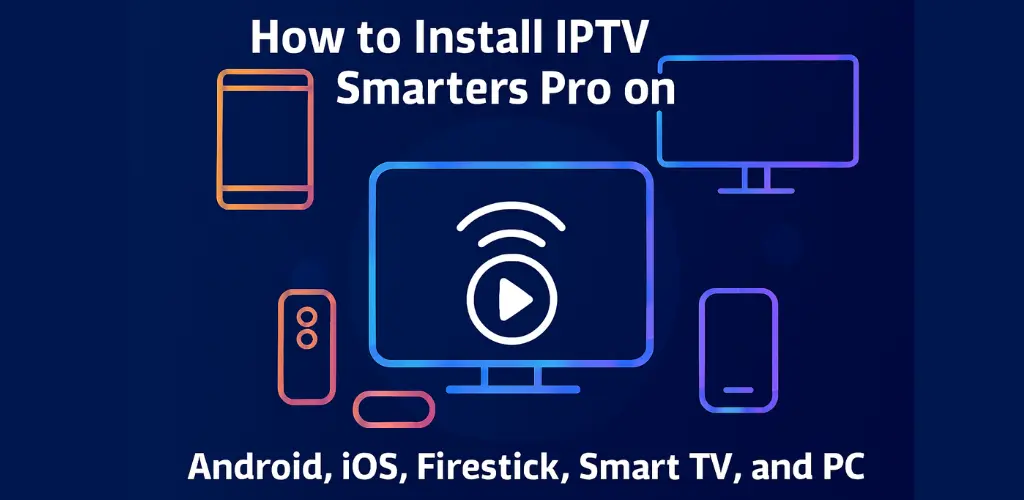
One of the major advantages of IPTV Smarters Pro is its availability across multiple platforms. You can install it on Android devices, iOS, Firestick, various Smart TVs, and even Windows PC, ensuring you can enjoy your content wherever you prefer.
EPG (Electronic Program Guide)
The built-in program guide provides information about current and upcoming shows, making it simple to plan your viewing schedule and never miss your favorite programs.
Recording and Catch-Up Features
Depending on your IPTV service provider, IPTV Smarters Pro supports recording capabilities and catch-up TV, allowing you to record live broadcasts or watch shows that have already aired.
Multi-Screen Support
The application allows for multiple screens, enabling users to watch different channels simultaneously – a feature particularly useful for sports enthusiasts who don’t want to miss concurrent events.
How to Install IPTV Smarters Pro on Different Devices
Android Installation
- Open the Google Play Store on your Android device
- Search for “IPTV Smarters Pro”
- Select the application and tap “Install”
- Once installed, open the app
- You’ll need to enter your subscription details provided by your IPTV service provider, such as IPTV Gateway
- After entering the credentials, you’ll have access to your subscribed content
Alternatively, you can download the IPTV Smarters Pro APK from trusted sources if you prefer not to use the Play Store. However, you’ll need to enable installation from unknown sources in your device settings first.
iOS Installation
- Open the App Store on your iPhone or iPad
- Search for “IPTV Smarters Pro”
- Tap “Get” and complete the installation process
- Launch the application
- Enter your subscription details (URL, username, and password)
- Start enjoying your content
Firestick Installation
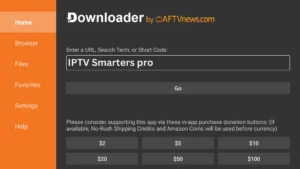
Installing IPTV Smarters Pro on Firestick is particularly popular among cord-cutters:
- From your Firestick home screen, navigate to the search option
- Type “IPTV Smarters Pro” and select it from the results
- Select “Download” or “Get”
- Once installed, open the application
- You’ll be prompted to enter your service provider details
- After configuration, your channels and content will be available
If the app isn’t available directly through the Amazon App Store, you can install it using the Downloader app:
- Install the Downloader app from the Amazon App Store
- Enable “Apps from Unknown Sources” in your Firestick settings
- Open Downloader and enter the URL for the IPTV Smarters Pro APK
- Follow the prompts to complete the installation
Smart TV Installation
For Smart TV users, the installation process varies depending on your TV’s operating system:
For Android TV:
- Access the Google Play Store
- Search for “IPTV Smarters Pro”
- Install the application
- Launch and configure with your subscription details
For Samsung or LG Smart TVs:
These may not support direct installation of IPTV Smarters Pro. Alternative solutions include:
- Using a compatible streaming device like Firestick or Chromecast
- Checking if your TV supports other IPTV apps with similar functionality
- Using screen mirroring from a device that has IPTV Smarters Pro installed
PC Installation
Use the Official Web Player (Recommended & Simplest)
IPTV Smarters Pro offers a fully functional web version, eliminating the need for emulators or complex setups.
Open Google Chrome, Microsoft Edge, or any other modern web browser on your PC.
Go to the official IPTV Smarters Web Player.
Log in with your subscription credentials (username, password, and portal URL).
Start streaming your content directly in your browser.
Configuring Your IPTV Smarters Pro Subscription
After installation, you’ll need to configure the application with your subscription details:
- Open IPTV Smarters Pro
- Select “Add New User” or “Login” depending on the version
- Choose how you want to add your subscription:
– URL (XStream Codes API)
– M3U playlist URL
– Manual playlist entry
- Enter the details provided by your IPTV service provider
- Name your profile for easy identification if you plan to use multiple services
- Click “Add User” or “Login” to proceed
If you’re looking for a reliable subscription service, consider checking out IPTV Gateway’s free trial to test their services before committing. Other reputable providers include Brix IPTV and My Abonnement IPTV, which offer various packages to suit different needs.
Troubleshooting Common Issues
Connection Problems
If you experience buffering or connection issues:
- Check your internet connection speed (at least 10 Mbps recommended for HD content)
- Try connecting to a different Wi-Fi network or use a wired connection
- Restart your router and streaming device
- Ensure your IPTV subscription is active and not expired
Playback Issues
For problems with video playback:
- Update to the latest version of IPTV Smarters Pro
- Clear the application cache
- Try changing the player settings within the app
- Contact your IPTV service provider to ensure their servers are functioning properly
Login Errors
If you can’t log in:
- Double-check your username and password
- Ensure your subscription is active
- Try reinstalling the application
- Contact your provider to verify your account status
IPTV Smarters Pro Updates for 2026
As we look toward 2025, IPTV Smarters Pro continues to evolve with enhanced features and improved functionality. Expected updates include:
- Improved AI-driven content recommendations
- Enhanced security features to protect user data
- More seamless integration with smart home devices
- Expanded compatibility with emerging streaming platforms
- Refined user interface for even easier navigation
- Advanced parental controls and content filtering options
To ensure you’re taking advantage of these improvements, regularly check for application updates through your device’s app store or the official IPTV Smarters Pro website.
Legal Considerations
When using IPTV Smarters Pro, it’s important to note that the application itself is legal as a media player. However, the content accessed through the app depends on your IPTV service provider. Always ensure you’re subscribing to legitimate services that have proper licensing agreements for the content they distribute.
Conclusion
IPTV Smarters Pro offers a versatile and powerful solution for accessing IPTV content across multiple devices. Its user-friendly interface, robust features, and wide compatibility make it a leading choice for streaming enthusiasts. By following the installation guides provided for your specific device, you can quickly set up and enjoy a vast library of content.
Remember to choose reputable IPTV service providers like IPTV Gateway for the best experience. With proper setup and a reliable subscription, IPTV Smarters Pro can transform your entertainment system, providing access to thousands of channels and on-demand content at your fingertips.
Whether you’re a sports fan, movie buff, or just looking to replace traditional cable TV, IPTV Smarters Pro delivers a comprehensive solution that adapts to your viewing preferences and lifestyle.